How AI Model Selection Works: Let the Machine Pick the Best Model for You
Stop guessing which AI model to use. Learn how PixOne AI analyzes your prompt and image to automatically select the optimal model from 80+ options.
PixOne Team6 min read
The AI image generation space has a paradox of choice problem. In 2026, there are dozens of high quality models available, each with different strengths, styles, and specialties. FLUX excels at prompt adherence. Midjourney produces stunning artistic compositions. Stable Diffusion offers endless customization. Seedream delivers photorealism. Kling and Veo handle video generation. The list goes on.
For most creators, this abundance creates a problem rather than solving one. How do you know which model to use for a given prompt? How do you decide between FLUX and Seedream for a photorealistic portrait? Should you use Kling or Veo for a video of ocean waves? The answer often requires deep technical knowledge that most creators simply do not have, and should not need to have.
This is the problem that AI model selection solves. Instead of forcing you to become an expert in dozens of AI models, the system analyzes your prompt and automatically selects the optimal model. Here is how it works.
The Problem: Too Many Models, Not Enough Guidance
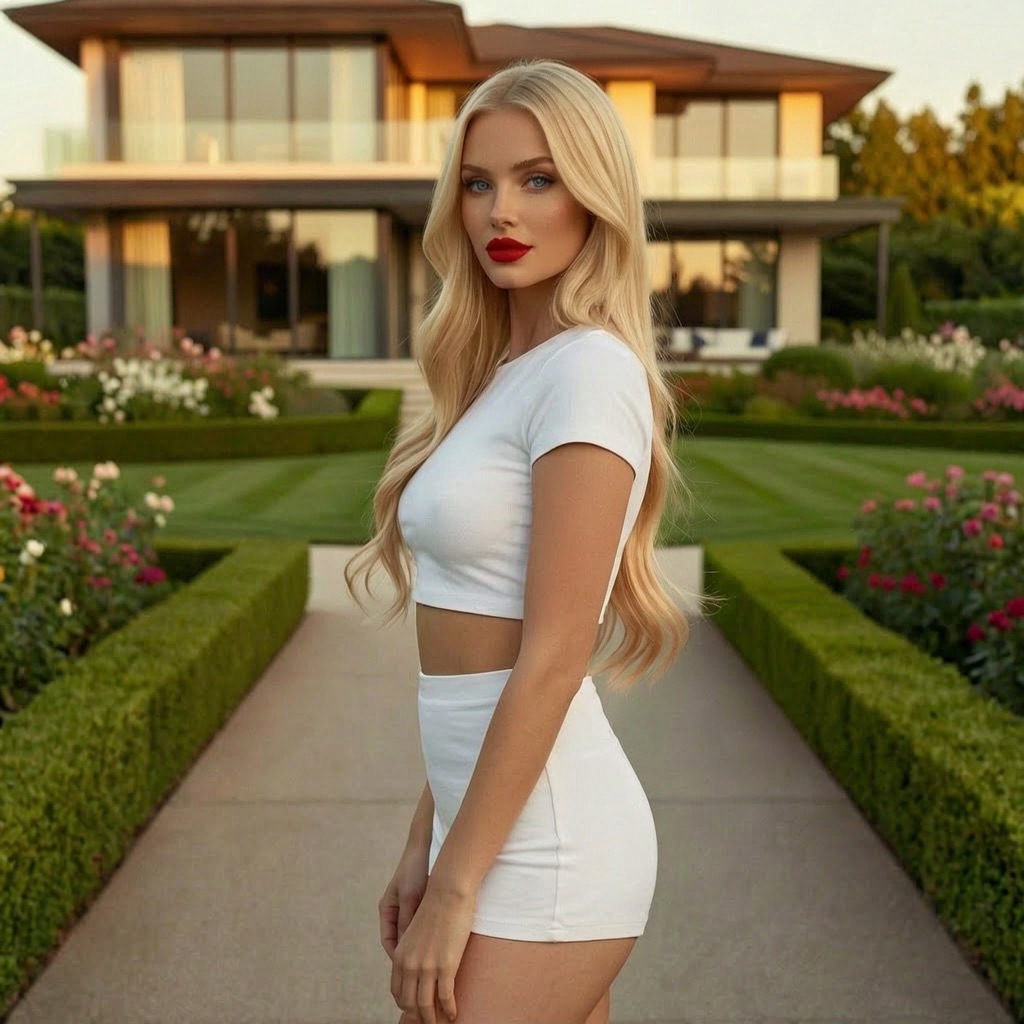
Consider a typical creative workflow. You want to generate a photorealistic portrait of a woman in golden hour lighting. Which model should you use? FLUX Pro produces clean, detailed images with excellent prompt adherence. Seedream 5.0 excels at skin tones and natural lighting. Ideogram handles text in images well, in case you want to include a nameplate or signage. Recraft V3 has a particular talent for commercial photography aesthetics.
Each model would produce a different result, and the "best" choice depends on subtle factors: Do you want the image to feel natural or polished? Is accuracy to the prompt more important than artistic interpretation? Do you need a specific aspect ratio that one model handles better than another?
Now multiply that decision across every prompt you write, every day. Professional creators generate dozens or hundreds of images per week. Spending even two minutes per prompt deciding which model to use adds up to hours of lost productivity. And those two minutes are often spent guessing, because the only way to truly compare models is to run the same prompt through each one, which costs credits and time.
Most platforms solve this by offering only one model, which eliminates the choice but also eliminates the benefits of having access to specialized tools. PixOne takes the opposite approach: give users access to everything, but remove the burden of choosing.
How AI Model Selection Works on PixOne
When you submit a prompt on PixOne with AI model selection enabled, several things happen before a model is chosen.
The system begins by parsing your prompt to understand what you are asking for. This is not simple keyword matching. The AI understands context, intent, and nuance. It recognizes the difference between "a photo of a sunset" and "an oil painting of a sunset" and selects different models accordingly.
Next, the system evaluates the characteristics of your request against the known strengths of each available model. This evaluation considers multiple dimensions simultaneously: subject matter, artistic style, level of realism, complexity of the composition, presence of text elements, whether the prompt requires uncensored generation, and the type of output (image or video).
If you have uploaded a reference image, the system analyzes that as well. It considers the style, color palette, composition, and content of your reference when making its model selection. A reference image of an anime character will steer the selection toward models that excel at anime styles. A reference photo of a product will favor models with strong commercial photography capabilities.
Finally, the system selects the model it predicts will produce the best result and runs the generation. The entire selection process happens in milliseconds, so you experience no additional delay compared to manually choosing a model.
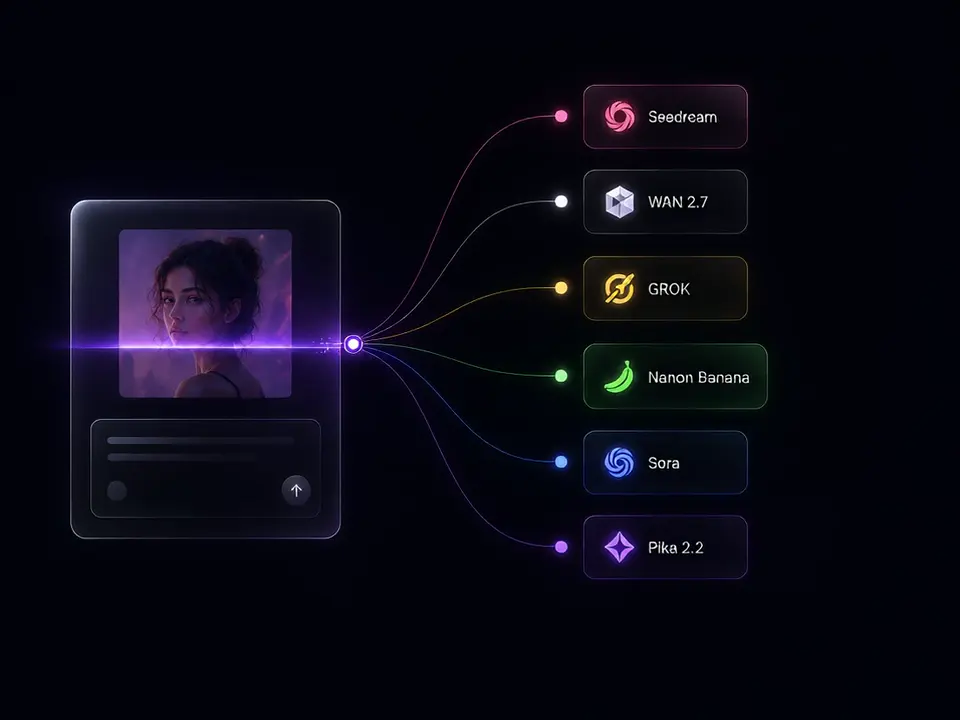
The same Smart Select flow shown on the PixOne home page: prompt in, model chosen, result out.
What the AI Considers
The selection system weighs several factors when choosing a model. Understanding these factors can help you write better prompts and get better results.
Prompt content and subject matter. The subject of your image is the most obvious factor. Portraits, landscapes, abstract art, product photos, anime characters, and architectural renders all benefit from different models. The AI recognizes these categories and routes your prompt to a model with proven strength in that area.
Artistic style and medium. Whether you want a photograph, oil painting, watercolor, digital illustration, pixel art, or any other style influences model selection. Some models produce naturalistic output by default, while others lean toward stylized or artistic interpretations. The AI matches your requested style to the model that delivers it best.
Desired output type. Image generation and video generation use completely different model families. When you request a video, the selection system evaluates video specific models like Kling, Veo, Wan, and Seedance, considering factors like motion quality, duration support, and content compatibility.
Content requirements. If your prompt requires uncensored generation, the AI prioritizes models that are badged for unrestricted content. This ensures you do not waste credits on a generation that will be refused by a restricted model.
Complexity and detail level. Highly detailed prompts with many specific elements benefit from models with strong prompt adherence. Simpler, more atmospheric prompts may be better served by models that excel at artistic interpretation. The system balances these factors based on the structure and specificity of your prompt.
Examples: When Different Models Excel
To illustrate how model selection works in practice, here are scenarios where the AI would choose different models.
Photorealistic portrait with natural lighting: The AI would likely select Seedream 5.0 or FLUX Pro, both of which excel at realistic human subjects and natural light rendering. The choice between them might depend on whether your prompt emphasizes accuracy (FLUX) or aesthetic quality (Seedream).
Anime character with dynamic pose: Models specializing in anime and illustration styles would be prioritized. The system recognizes anime specific terminology and visual conventions, routing these prompts to models trained on that type of content.
Product photography on white background: Commercial photography prompts favor models with clean, controlled output. The AI would select a model known for precise rendering, clean backgrounds, and professional lighting aesthetics.
Abstract art with experimental composition: More artistic and interpretive models get the nod here. The system recognizes when a prompt is asking for creative exploration rather than accurate reproduction and selects a model that adds artistic value to the output.
Video of flowing water: For video generation, the AI evaluates motion quality across video models. Water, fabric, and other fluid elements require smooth temporal coherence, which some video models handle better than others.
Manual vs. Automatic Selection: When to Use Each
AI model selection is the default on PixOne, but you always have the option to manually select a specific model. Here is when each approach works best.
Use automatic selection when: You want the best result without spending time researching models. You are working quickly and generating many images. You are exploring a new style or subject and are not sure which model fits. You want to discover models you might not have tried otherwise.
Use manual selection when: You have a strong preference for a specific model's aesthetic. You are working on a series and need consistent style across all images. You want to compare how different models handle the same prompt. You have a model that you know works perfectly for your particular use case.
Many experienced PixOne users start with automatic selection to discover which model the AI recommends, then switch to manual selection once they find a model they love for a particular project. This hybrid approach gives you the best of both worlds: discovery and control.
AI model selection transforms the overwhelming choice of 80+ models into a seamless creative experience. You focus on your vision, and the machine handles the technical decisions. It is the same philosophy that made the original Grok Imagen experience so compelling, but taken further with more models, better selection intelligence, and a platform built to support professional creative workflows.
Prova gratis — 75 krediter vid registrering
Generera bilder och videor med 80+ modeller. Smart Select väljer och konfigurerar the right one för din prompt. Inget kreditkort krävs för att börja.